The National Museum of Computing

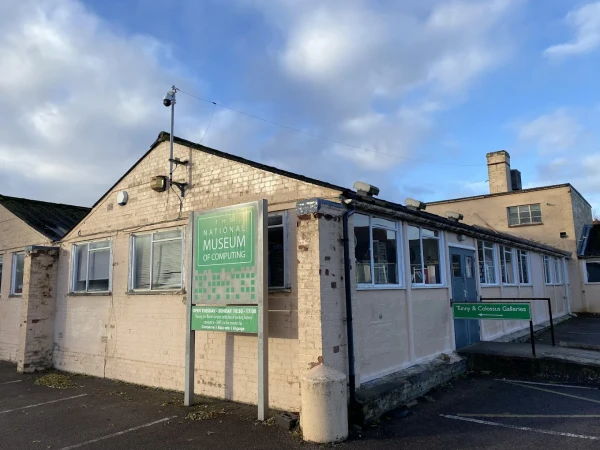
The National Museum of Computing, Bletchley Park, Bletchley, Milton Keynes, UK
1-99 Years
Paid

Description

The National Museum of Computing (TNMOC) is an independent museum located on the historic Bletchley Park estate. It is one of the best things to do with kids in Bletchley because it houses the world's largest collection of functional historic computers, offering a hands-on journey through the digital revolution. Families can explore everything from massive code-breaking machines to the early home consoles that sparked the gaming industry.

Admission is structured to be family-friendly, with prices starting from £12.50 for Children. A family ticket is also available to help keep costs down for larger groups. Because the museum relies on the dedication of volunteers and donations, every visit directly supports the maintenance of these rare, working machines.

If you are looking for the best place for a day out with family and kids that mixes world-changing history with interactive fun, this museum is a top choice. It provides a unique "STEM" focused environment where children can see the physical reality of the technology they use every day. It is a brilliant spot for inspiring the next generation of engineers, coders, and gamers.

Features

  • Paid
  • Host birthday parties: Yes

Features

Key Features

  • Interactive Exhibits: Unlike many museums, many machines here are kept in working order, allowing for live demonstrations of computing power.
  • Educational Day Out: The museum offers a dedicated learning programme that covers coding, cryptography, and the history of the internet.
  • Sensory Play: The clicking of relays and the whirring of cooling fans in the large-scale galleries create a unique auditory experience for visitors.
  • STEM Learning: Exhibits are designed to explain the "how" and "why" behind technology, making complex ideas accessible to children.

Top 5 Highlights

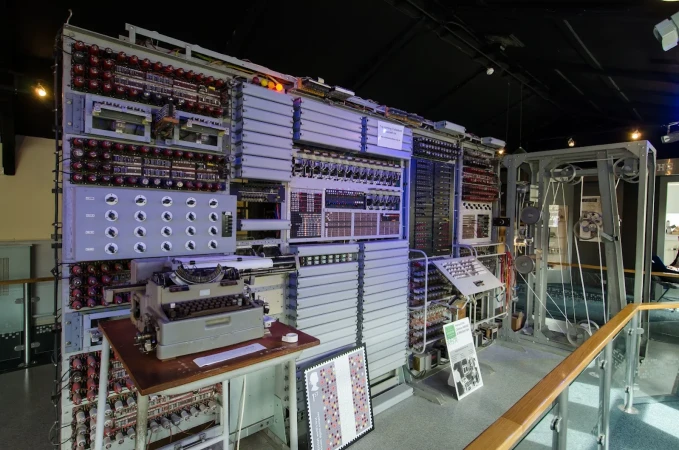
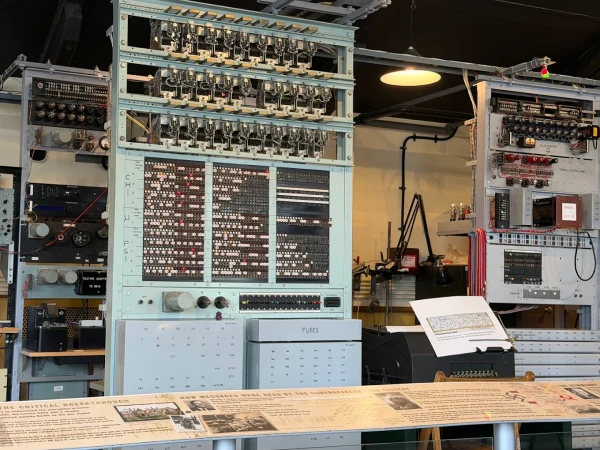
  • The Colossus: This is the world’s first electronic computer. Kids will be amazed by its size and the story of how it helped crack secret codes during World War II.
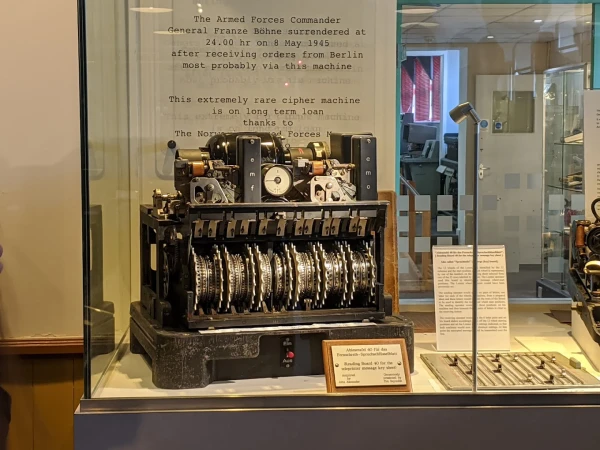
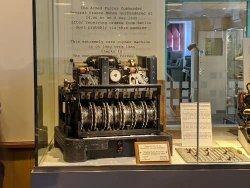
  • The Tunny Machine: A fascinating mechanical device used to decrypt high-level messages. It’s a great way to show children how "maths" was used as a secret weapon.
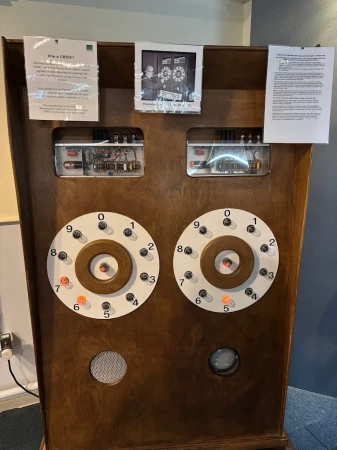
  • The WITCH (Harwell Dekatron): This is the world's oldest original working digital computer. Watching its flickering lights and moving parts is a hypnotic experience for all ages.
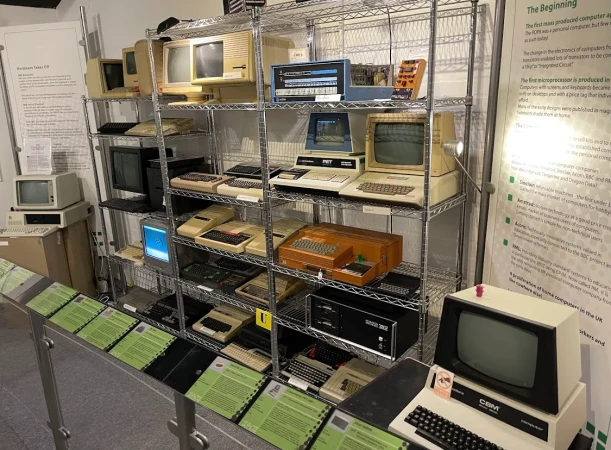
  • The Retro Games Gallery: A firm family favourite where you can play classic games on original hardware like the BBC Micro, Commodore 64, and early Nintendo consoles.
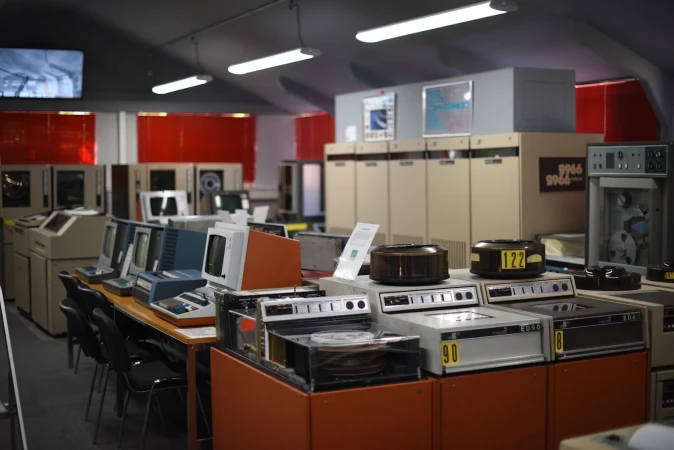
  • Large Systems Gallery: Walk through rows of massive mainframe computers from the 1960s and 70s to see how much space was once needed for very basic computing.

Facilities

  • Toilets: Located within Block H, including accessible facilities.
  • Buggy Parking: Limited space inside the galleries; it is best to use a slim stroller or carrier if possible.
  • Food & Drink: There is a small coffee lounge on-site for snacks and drinks. Picnic tables are available outside for those bringing their own lunch.

Pro-Tips for Parents

  • Book a Guided Tour: If your kids are older, the guided tours are excellent and bring the "grey boxes" to life with incredible stories of spycraft.
  • Check the Games Gallery: This area can get busy. Head there first or during the lunch hour to get more time on the retro consoles.
  • Combined Tickets: Always check the website for seasonal family bundles that might offer better value for larger groups.

Frequently Asked Questions

  • Is it worth it for toddlers? While under 5s go free, the museum is best for children aged 7 and up who can enjoy the games and understand the history. Toddlers may enjoy the lights and sounds, but the content is geared toward older kids.
  • How long does a visit take? A thorough visit usually takes around 3 to 4 hours. If you have a dedicated gamer in the family, you might find yourself staying longer in the Retro Games Gallery.
  • Where is the best place to park? The best place to park is the main Bletchley Park car park. Follow the pedestrian signs specifically for "The National Museum of Computing" to reach Block H.
  • Are there cheap indoor activities in Bletchley? TNMOC is a great-value indoor option. For £25, a family of five can spend the whole afternoon exploring world-class technology, making it very cost-effective compared to theme parks.

The Visitor Verdict: What Parents Really Think
What Visitors Love

  • Hands-on Nature: Parents love that children can actually touch and use many of the older computers.
  • Passionate Guides: The volunteers are often retired engineers who know the machines inside out and love sharing stories.
  • Nostalgia Factor: Parents and grandparents enjoy showing kids the computers they used when they were young.

What Visitors Don't Like

  • Separate Ticketing: Some visitors are confused that Bletchley Park and TNMOC require separate entry fees.
  • Technical Detail: For very young children (under 7), some of the text-heavy galleries might be less engaging without adult help.

What to see

Detailed Inventory

  • The Colossus Rebuild: A full-scale working replica of the code-breaking giant.
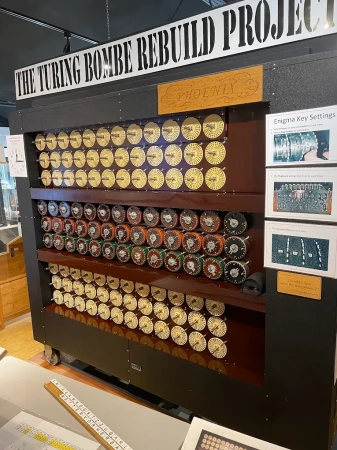
  • The Turing-Welchman Bombe: While housed at Bletchley Park, the museum details the electronic evolution that followed this machine.
  • The Harwell Dekatron (WITCH): The 1951 computer known for its rhythmic clicking.
  • The ICL 2966: A massive mainframe from the 1980s that takes up an entire room.
  • The BBC Micro Classroom: A nostalgic setup where kids can try basic programming.
  • The NPL Internet Gallery: Explores the history of how we all got connected.
  • The Cray-1 Supercomputer: A unique "C-shaped" machine that was once the fastest in the world.
  • The PDP-11: An influential minicomputer used in many early scientific labs.
  • EDSAC Replica: A project recreating the first practical general-purpose stored-program computer.
  • Analogue Computers: A collection showing how we solved problems before digital screens existed.

Beyond the Main Attraction

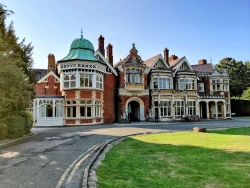
  • Bletchley Park: The museum is located on the same estate as the famous code-breaking huts (Note: separate tickets are required).
  • The National Museum of Computing Shop: Features unique tech-themed gifts, binary-coded items, and retro gaming merchandise.
  • Milton Keynes Central: A short train or bus ride away for major shopping and the Snozone indoor ski slope.

New for 2026

  • 2026 Innovation Gallery Updates: The museum regularly updates its displays to include more modern hardware and AI history to stay relevant for the 2026 season.
  • Summer Bytes Festival 2026: Look out for this annual summer event featuring extra hands-on workshops and guest speakers.

Price

Price: Paid

Price Details

Day Tickets (One Day Entry)

  • Adult (16+): £20.00
  • Concession (60+ / Students): £15.00
  • Child (5–15): £12.50
  • Under 5: FREE
  • Family(2 Adults + up to 3 Children): £55.00

Annual Tickets (Unlimited Entry)

  • Adults (16+): £30.00
  • Concessions (60+/Students): £25.00
  • Children (5-15): £20.00
  • Family: £70.00 (2 Adults and up to 3 Children) 

Pricing URL: https://www.tnmoc.org/plan-your-visit

Birthday Parties

Offer Birthday Parties: Yes

Birthday Party Details

The museum offers unique "STEM" themed birthday parties involving coding challenges and retro gaming. Email: [email protected]

Tuesday, Thursday, Saturday and Sunday 10:30am to 4:30pm (Autumn/Winter), 10:30am to 5pm (Spring/Summer), and some bank holidays. 

Address: The National Museum of Computing, Bletchley Park, Bletchley, Milton Keynes, UK

Post Code: MK3 6EB

Council: Milton Keynes

County: Buckinghamshire

  •  
  • By Train: Bletchley Station is on the West Coast Mainline with direct links to London Euston and Birmingham.
  • By Car: Follow signs for Bletchley Park. The museum is located in Block H.
  • Car Parking: Free parking is available for museum visitors on the Bletchley Park estate.
  •  

5.00

0 Reviews

Rating breakdown

5
80% Complete (danger)
0
4
80% Complete (danger)
0
3
80% Complete (danger)
0
2
80% Complete (danger)
0
1
80% Complete (danger)
0

Get the best blog stories into your inbox!